
📦 Create your theoretical inventory
📌 What is a theoretical inventory?
📌 Key points for creating a theoretical inventory
📌 Recommendations for efficient use of the Theoretical Inventory
📌 How can the Theoretical Inventory help you?
📌 Frequently asked questions about the theoretical inventory
Not knowing what your inventory is in real time can lead to critical situations, such as running out of stock during key sales periods, which could directly affect your operations and revenue.
With haddock you can have a clear and accurate view of your stock based on real data and automatic calculations.
What is a theoretical inventory?
The Theoretical Inventory is a new feature available inside the Inventories section in haddock. This tool lets you calculate the current stock of your products based on:
- Your last recorded physical inventory.
- Purchases made since the last physical inventory (delivery notes or invoices depending on the supplier's configuration).
- Sales recorded through the POS (taking into account the recipe costings linked to POS items).
- The waste recorded in haddock (waste, breakage, etc.).
💡 This calculation answers a key question: how much product should I have left at the end of the day or month?.
Key points for creating a theoretical inventory
1. Based on the physical inventory
- The theoretical inventory starts from a previously recorded physical inventory. This serves as the starting point for calculating the current theoretical stock.
- ‼️ Make sure all products are included in a prior physical inventory.
2. Purchase records
- Each purchase you upload to haddock (through delivery notes or invoices) is automatically added to the theoretical stock of the corresponding products.
- ‼️ Enter all invoices or delivery notes from the date of the last physical inventory.
3. POS sales
- Sales recorded through your POS, together with the configured recipe costings, automatically deduct the corresponding quantities of each product used in those sales.
- ‼️ Every product you use in your recipes or dishes must be linked to a recipe costing.
4. Waste
- Recorded waste (shrinkage, expired items, breakages) is subtracted from the theoretical stock.
- ‼️ Record your waste regularly to keep the data as accurate as possible.
5. Result: Current theoretical stock
- The system automatically calculates the theoretical stock for each product based on this data, giving you a real-time view of your inventory.
- ‼️ The recipe costings must be connected to your POS items so sales are automatically reflected in theoretical stock.
Real case | Example
- On January 24, we created the physical inventory of the products stored in "Kitchen" to count the physical stock.
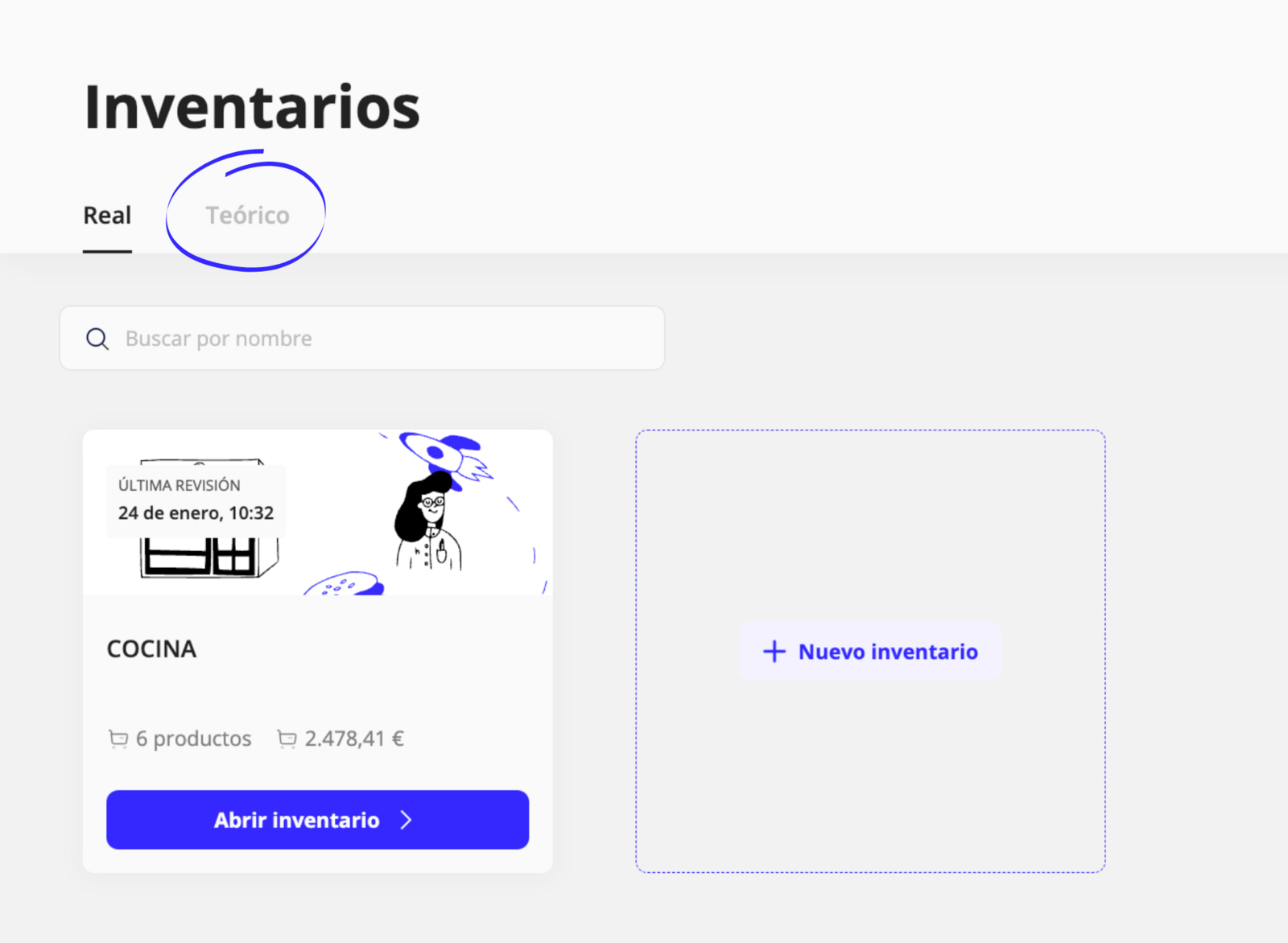
In this inventory, we added the different stock on hand we had available based on the purchased units, and haddock automatically calculates the cost based on the latest recorded price.
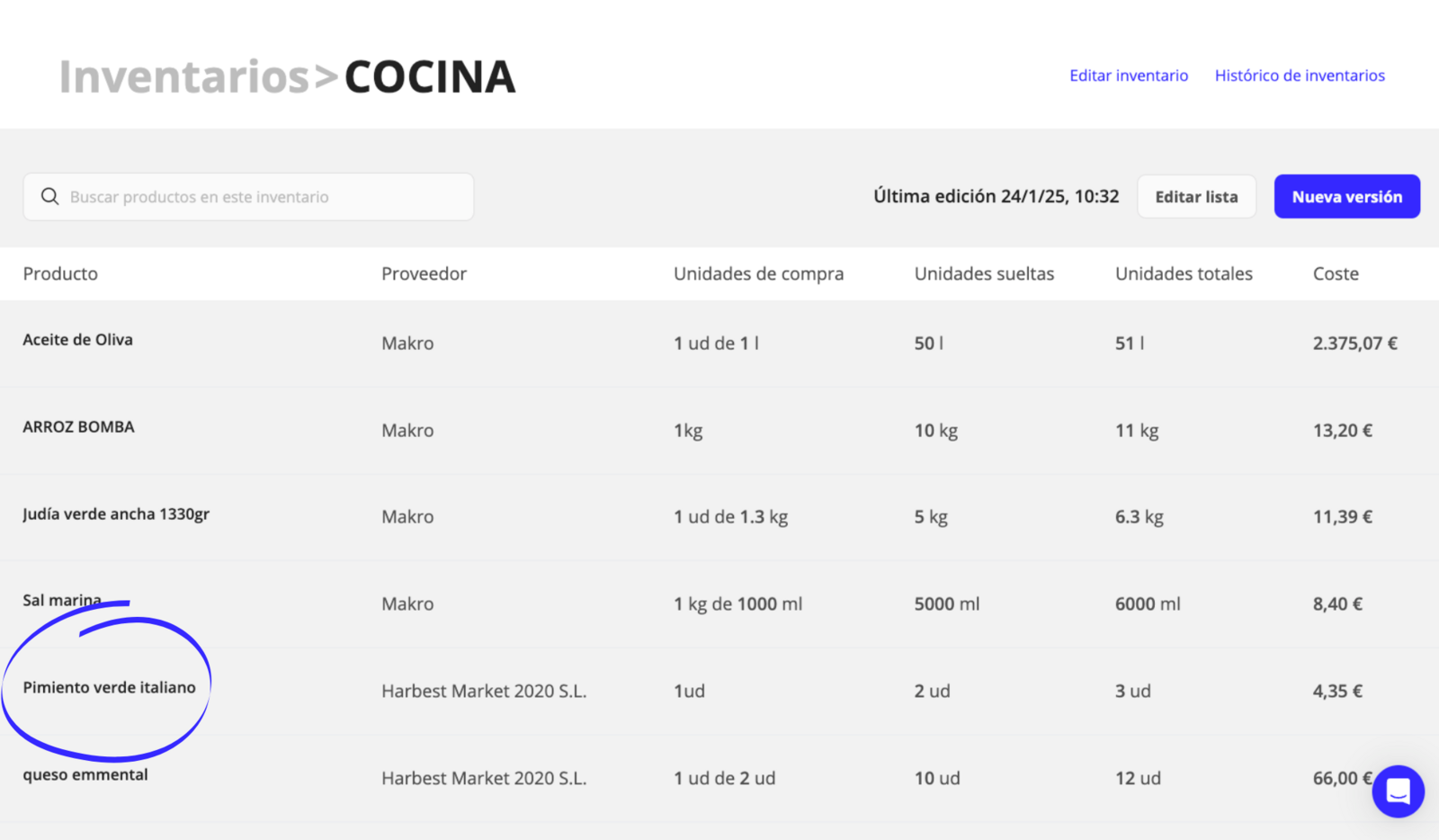
- From here on, the theoretical stock starts working automatically.
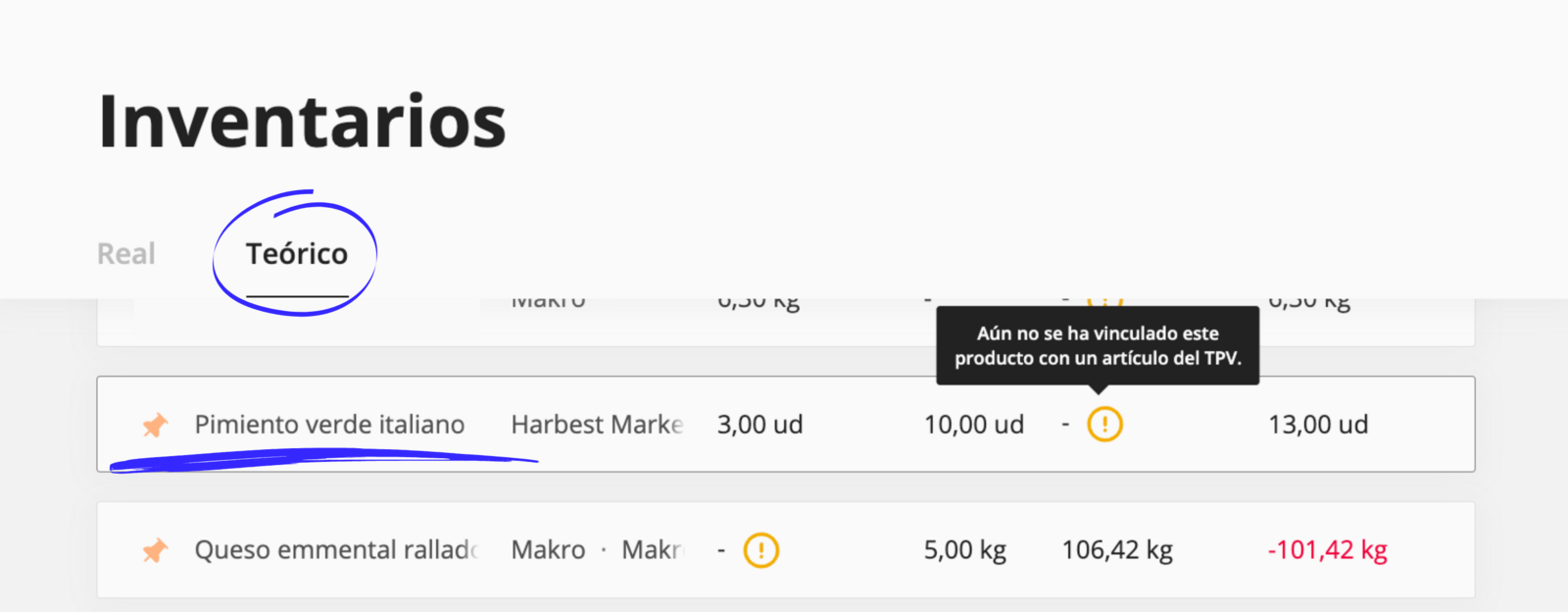
"🫑 Italian Green Pepper"
- Last physical stock, January 24, 2025 ➡️ 3 total units
- Purchases made (invoices and delivery notes) since January 24: 10 peppers.
- Sales made since January 1: (?)
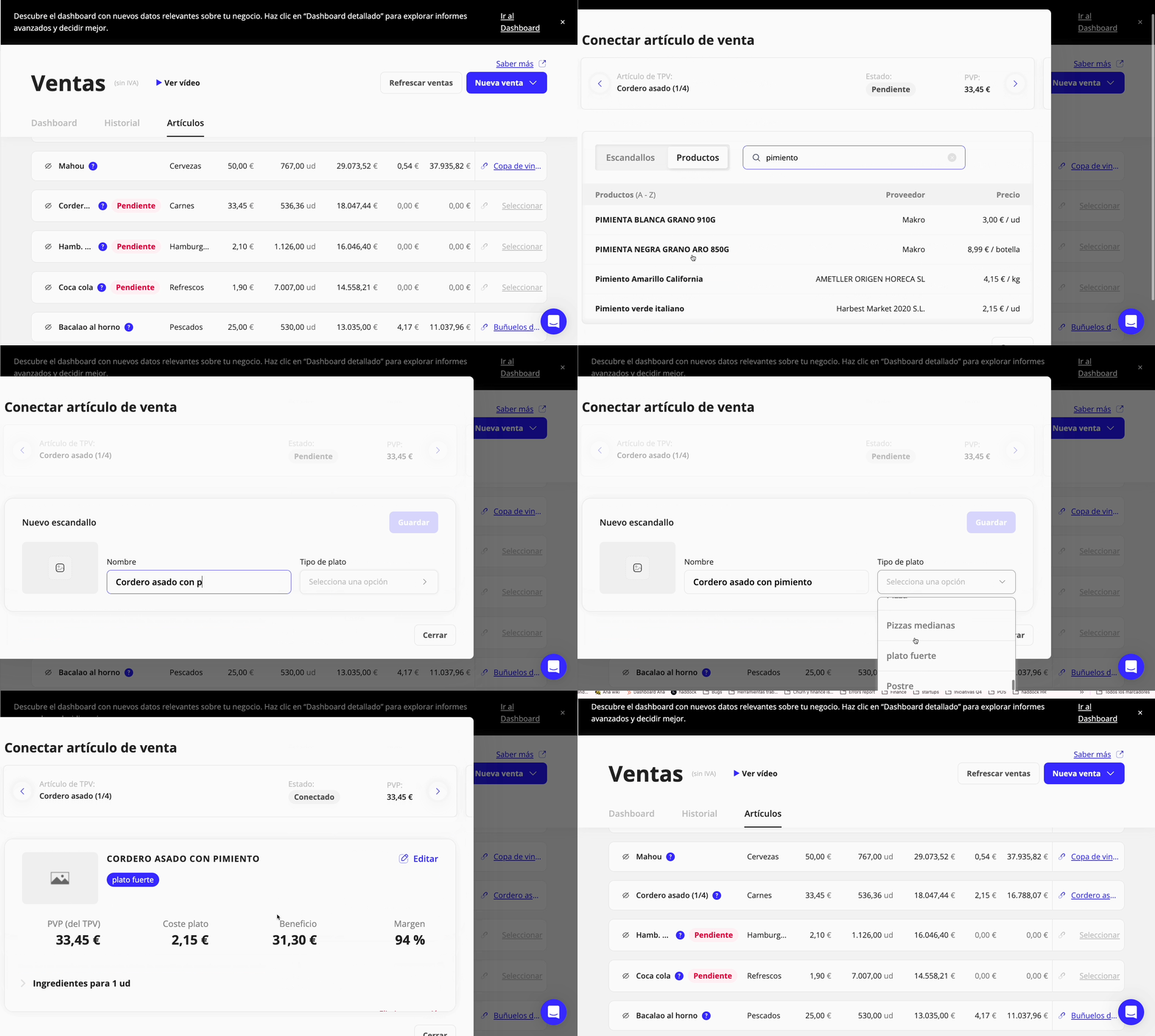
- To know how many peppers we have after the sale, we need to add the product to a recipe costing and link it to the POS sales item.
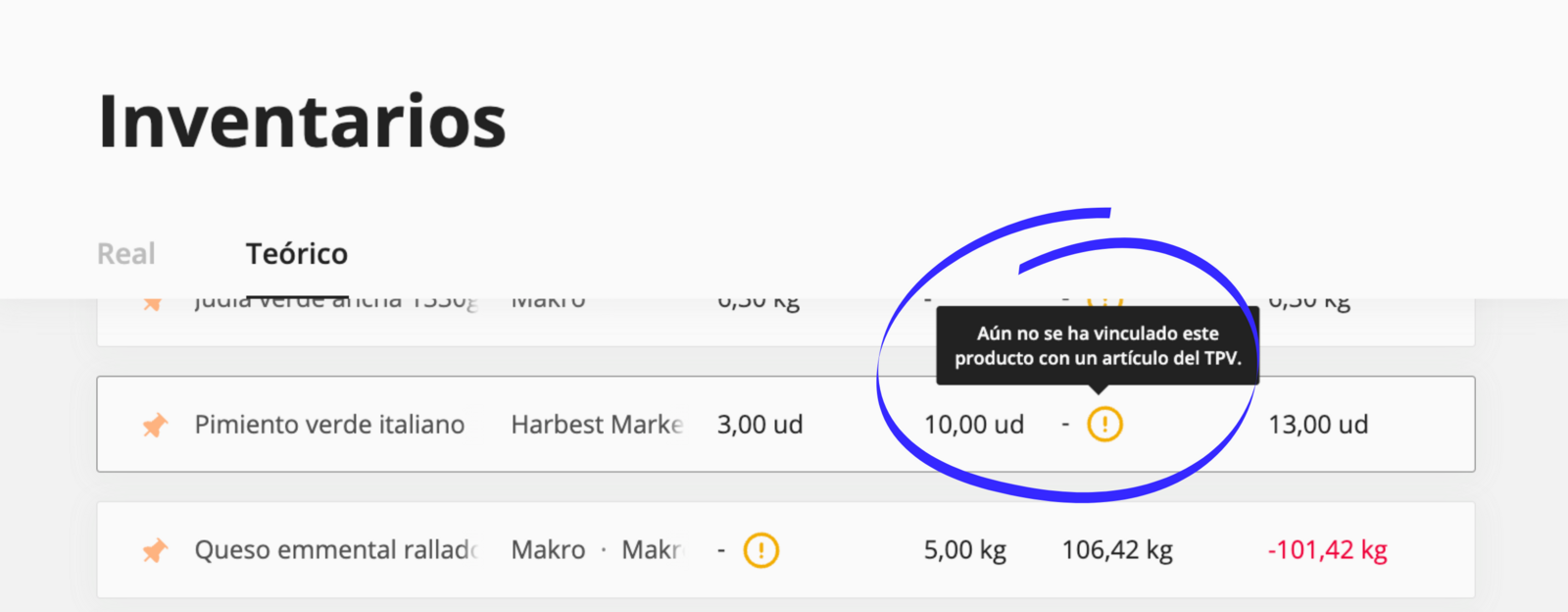
Below we show you the step-by-step process for how you can create a recipe costing and connect it directly to your sales item.
Recommendations for efficient use of the Theoretical Inventory
- Do a physical inventory weekly or monthly: This will help you maintain an accurate base for calculating theoretical inventory.
- Prioritize key products: If you cannot record all products, focus on those with the highest value or that are essential to your operation.
- Use the featured products function: You can "Pin 📌" key products so they always appear at the top of the screen, making them easier to consult.

How can the Theoretical Inventory help you?
1. Variance control:
- Compare the actual stock with the theoretical inventory to identify losses, waste, or errors.
2. Purchase optimization:
- Use theoretical inventory data to forecast replenishment needs before key products run out.
3. Time savings:
- Automate stock control without relying on daily manual checks.
🕵🏼 Frequently asked questions about the theoretical inventory
Can I view my theoretical inventory from my phone?
In this first version, the theoretical inventory is only available on the haddock website.
- What happens if there are discrepancies between the theoretical inventory and the actual one?
Discrepancies may be due to:
- Unrecorded waste.
- Errors in recipe costing setup.
- Products not correctly recorded in the physical inventory.
We recommend reviewing these points and adjusting the data accordingly.
- Can I use the theoretical inventory without an integrated POS?
No, this feature is only available to customers with an integrated or integrable POS.
Do I need to update the theoretical inventory manually?
No, the system automatically updates the theoretical inventory based on recorded sales, purchases, and recipe costings.
- How often should I update the physical inventory?
We recommend doing it at least once a month so you have a recorded quantity for each product available in your restaurant inventory.
Updated on: 26/08/2026
Thank you!