
Add haddock on your phone
haddock is a 100% web app, so you do not need to download anything. You can access it from any device (mobile, tablet, or computer) directly from your browser.
💡 Tip: To have quick access from your mobile, you can add the page as a shortcut on your device's home screen:
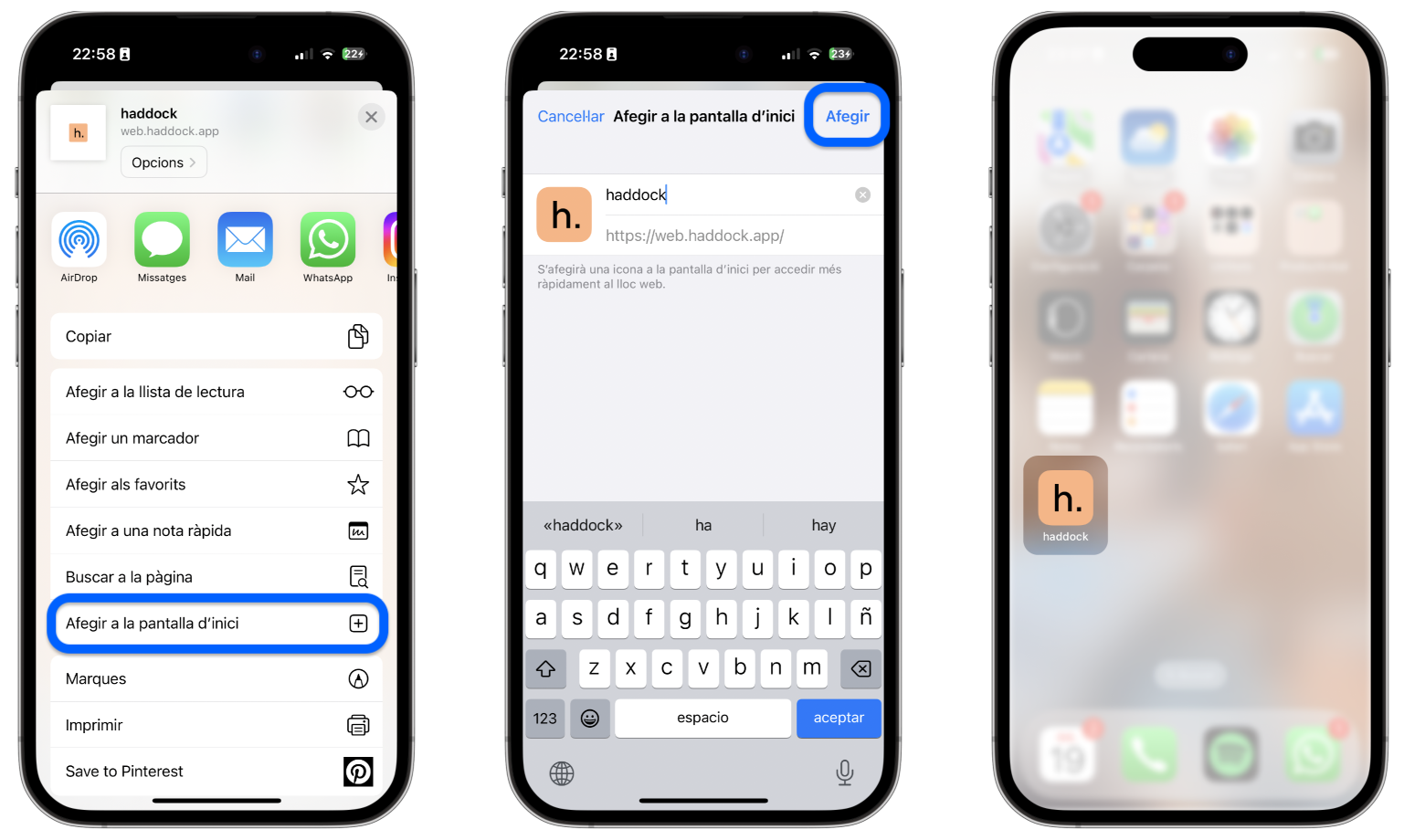
📱iPhone
- Open Safari.
- Type "web.haddock.app" into the search bar.
Tap the middle action button.

- Open the options menu.
- Tap "Add to Home Screen".
- Tap "Add"
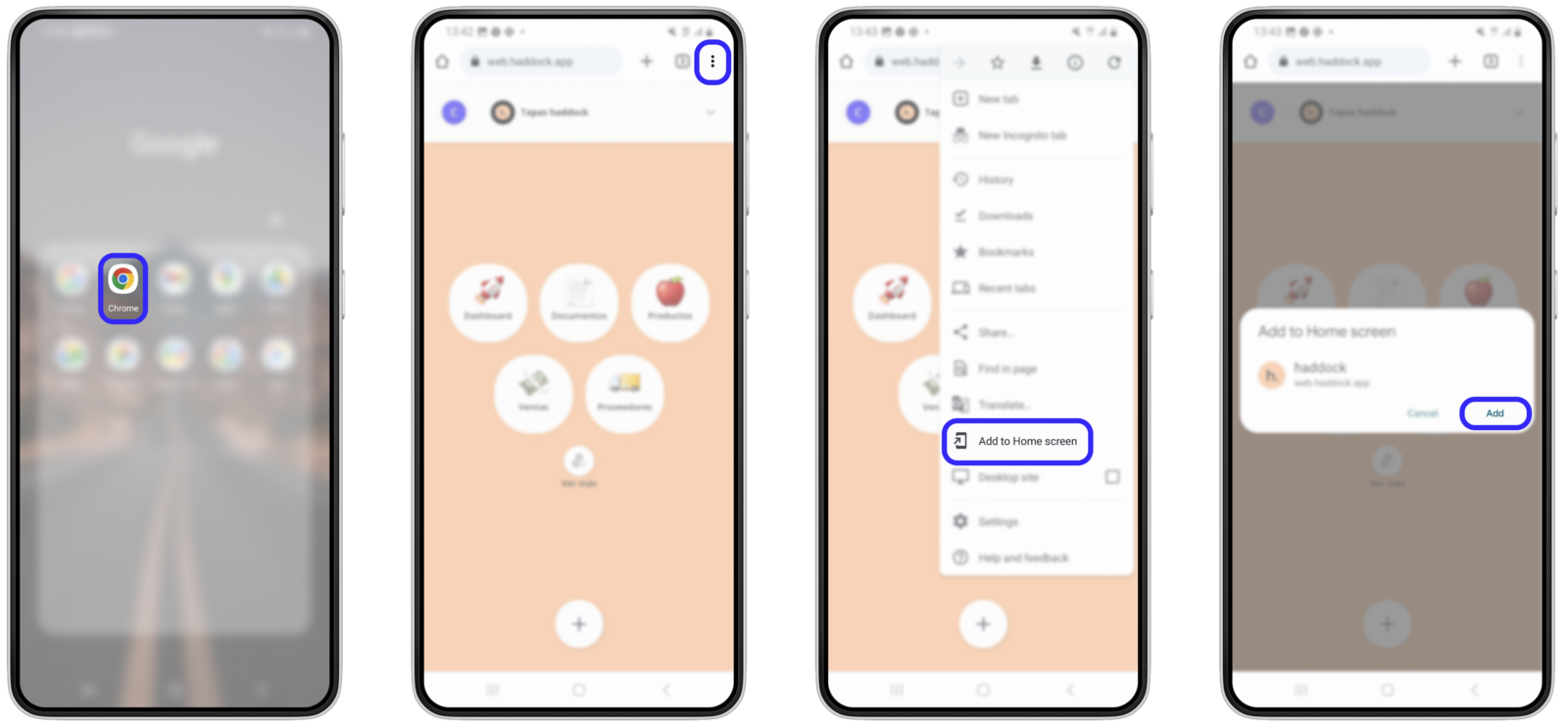
📱Android
- Open Google Chrome.
- Type "web.haddock.app" into the search bar.
- Tap the options menu "⋮"
- Tap "Add to Home Screen".
- Tap "Add"
Updated on: 26/08/2026
Thank you!