
Create a supplier manually
Create a supplier manually
- Go to the Suppliers page, click the New supplier button, and select New supplier from the dropdown menu.
- Fill in all the details for the new supplier.
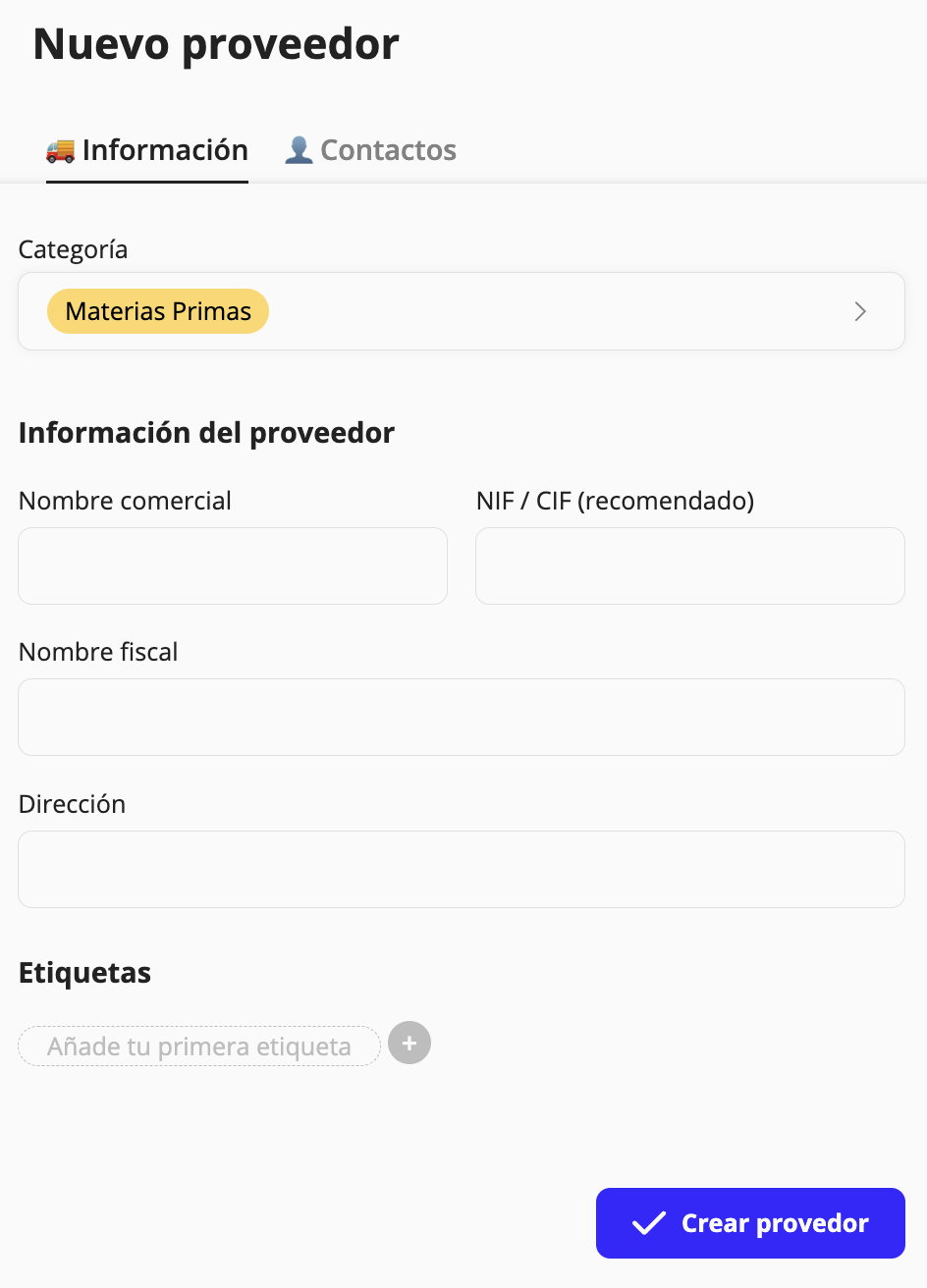
Information
- Category.
- Trade name.
- NIF/CIF (recommended).
- Legal name.
- Address.
- Tags.
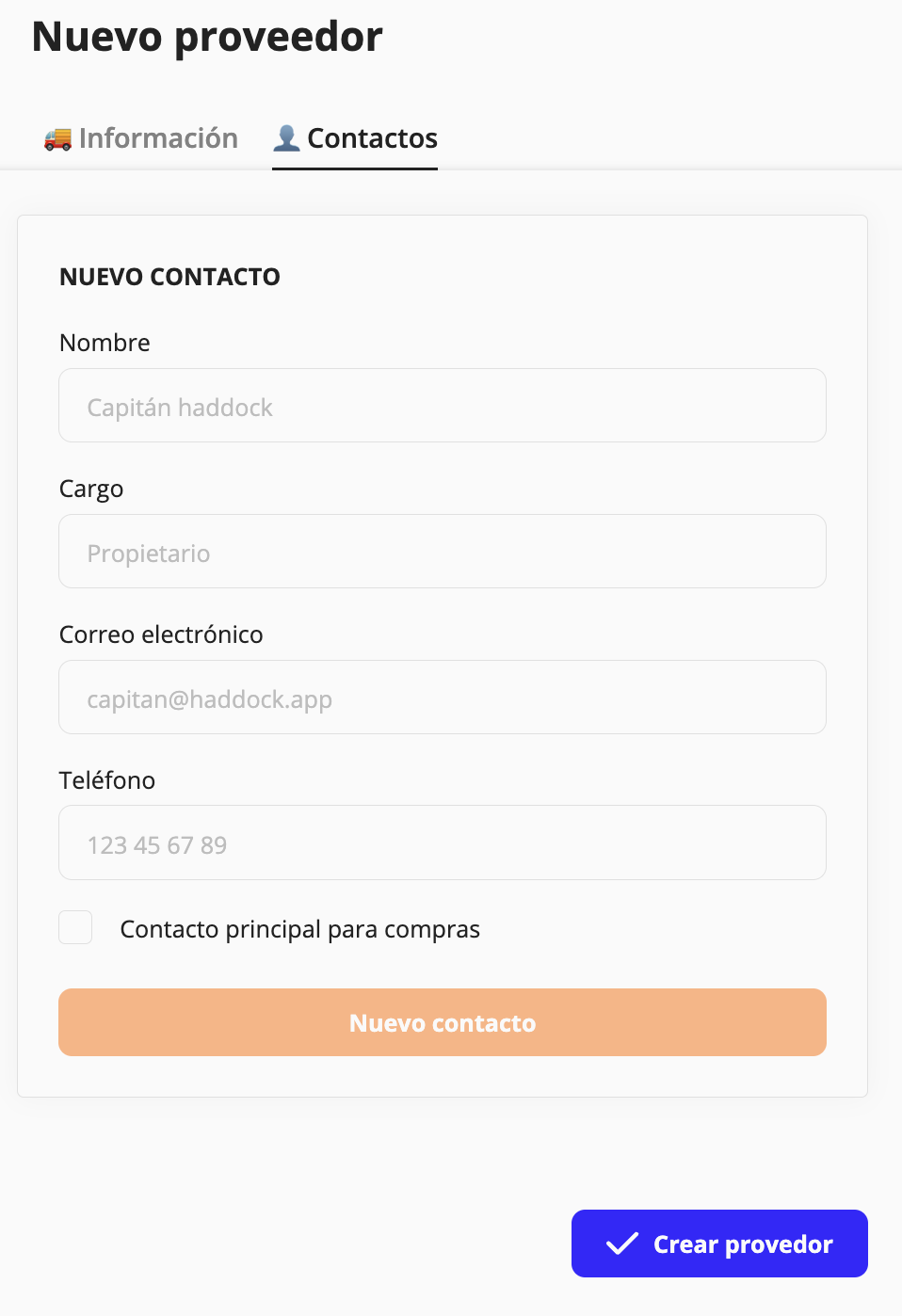
Contacts
- Name.
- Role.
- Email.
- Phone.
- Primary contact for purchases.
Updated on: 26/08/2026
Thank you!