
Why a document has been sent for review
❓ Why is there a document module that needs manual review?
📍 Access the document review screen
- 🚚 Supplier not detected
- ➕ Check the total amount of your products
- 📁 Incorrect total calculation
- 📆 Invalid or missing date
- ➕ VAT breakdown does not match the total
- ➕ Incorrect VAT total
- 🔋 Subtotal by VAT breakdown is incorrect
- 👀 Totals by VAT breakdown do not match
❓ Why is there a document module that needs manual review?
For haddock, it is essential to offer 100% accurate information so you can make real-time decisions for your business. That is why, alongside improved technology, we have added manual review for documents that have inconsistencies and need to be completed.
👀 How to access the pending review documents screen
- Go to the Documents module
- Click the Needs review module

👀 Why has a document not been digitized?
All documents will be sent for review if the basic document information has not been digitized correctly.
Click inside the document to add or modify the document information. There may be several reasons why you need to review your documents.
Remember that handwritten documents will not be digitized and you will need to fill them in manually.
🚚 Supplier not detected
We could not identify the supplier in the document. Review it and select the correct supplier or create a new one and assign it to the document.
➕ Check the total amount of your products
Check the total amount of your products, the total invoice amount, and pay special attention to IRPF or post-tax costs.
📁 Incorrect total calculation
The total does not match the calculation: subtotal + VAT - IRPF. Review these values.
📆 Invalid or missing date
A valid date was not detected. Make sure to add it and that it is correct.
➕ VAT breakdown does not match the total
The sum of the VAT breakdown and subtotal does not match the total invoice amount. Review the breakdown amounts.
➕ Incorrect VAT total
The total VAT amount does not match the sum of the breakdown by VAT type. Verify the VAT amounts.

🔋 Subtotal by VAT breakdown is incorrect
The taxable bases in the VAT breakdown do not add up to the digitized subtotal. Review the base amounts.

👀 Totals by VAT breakdown do not match
The sum of the totals (€) by VAT type does not match the digitized total. Review the breakdown.

Example case
ℹ️ Incident
Supplier not detected.
✔️Solution
In this case, the supplier field will be selected and you will only need to fill in the correct information and save to move to the next screen.
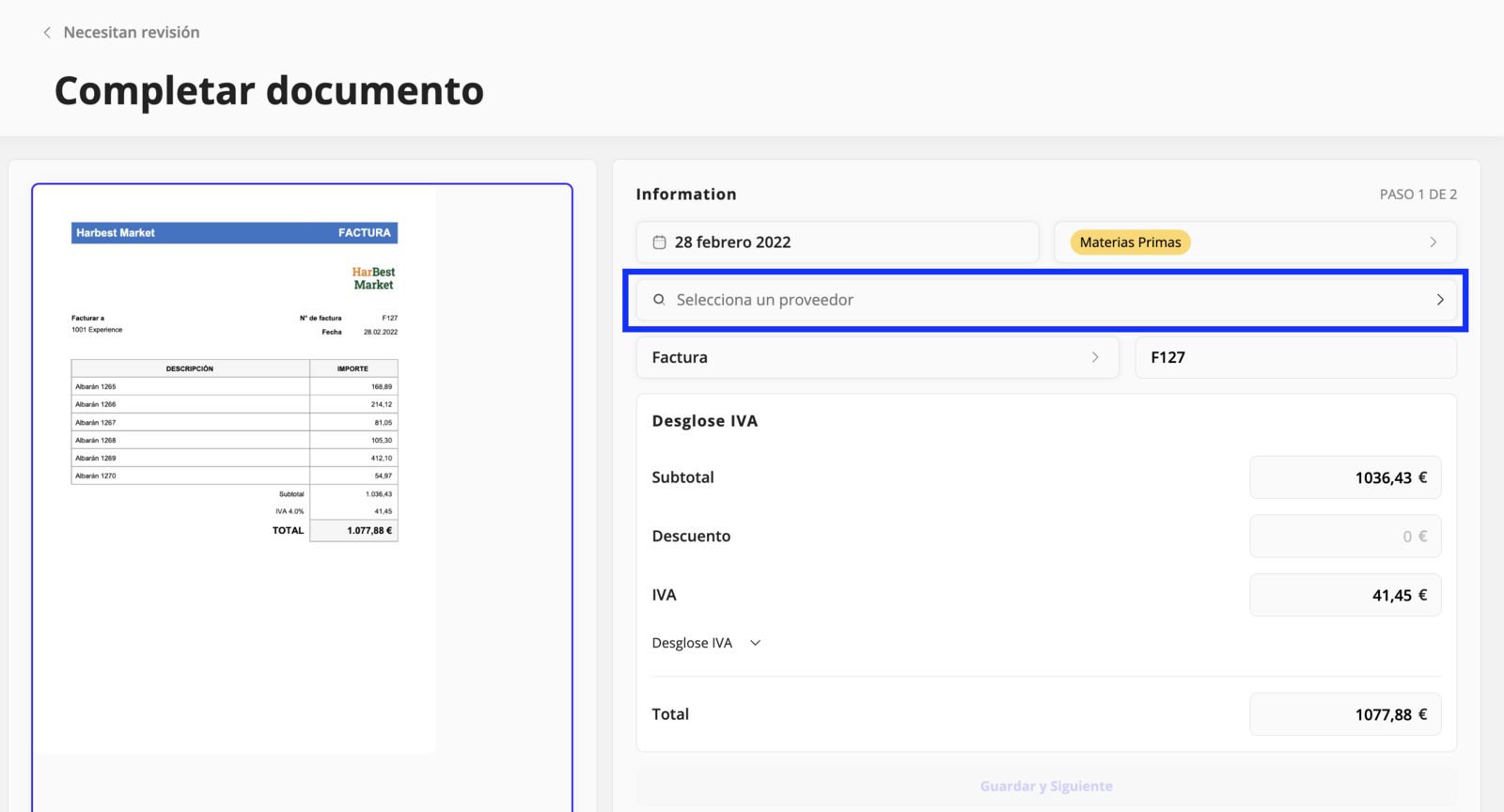
On the next screen you will find information about the products in the document. If you want to make any changes, you can do it directly from this page; otherwise, you can click save and finish.
Updated on: 26/08/2026
Thank you!