
Add recurring expenses
📌 Add recurrence to a new document
📌 Edit recurrence inside a document
Add recurrence to a new document
- Click Create manual expense

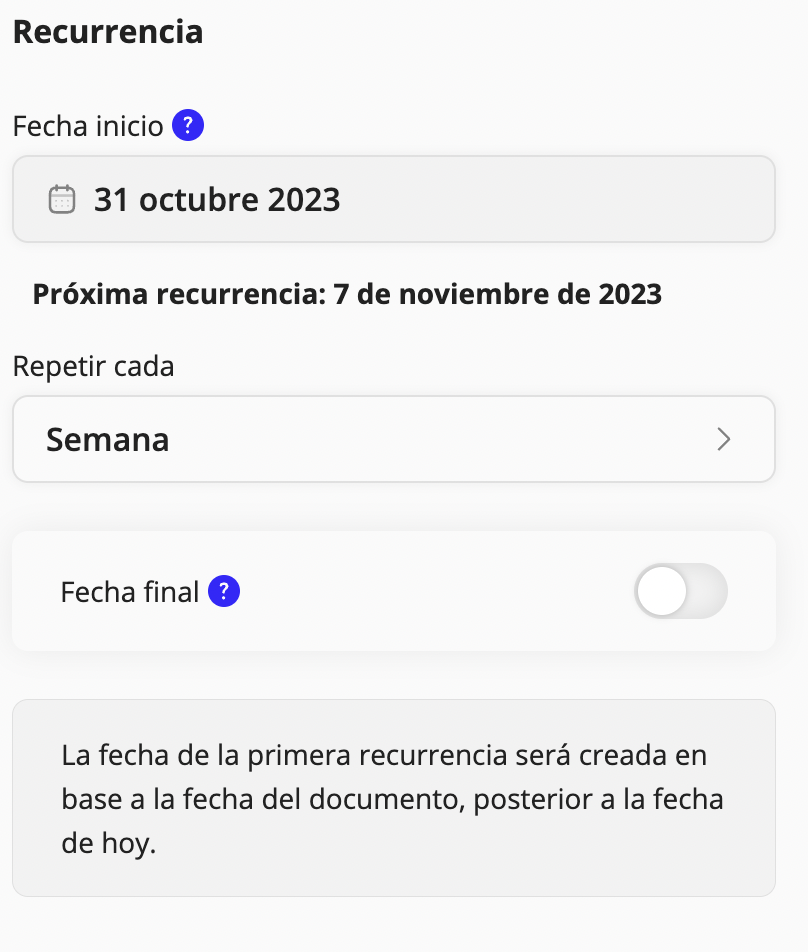
- Turn recurrence on and edit how often you want this expense to repeat

Although the totals will be generated automatically, expense details will not be duplicated.
Edit recurrence inside a document
- Select a document
- Go to Settings through the three dots you will find in the top-right corner of each document
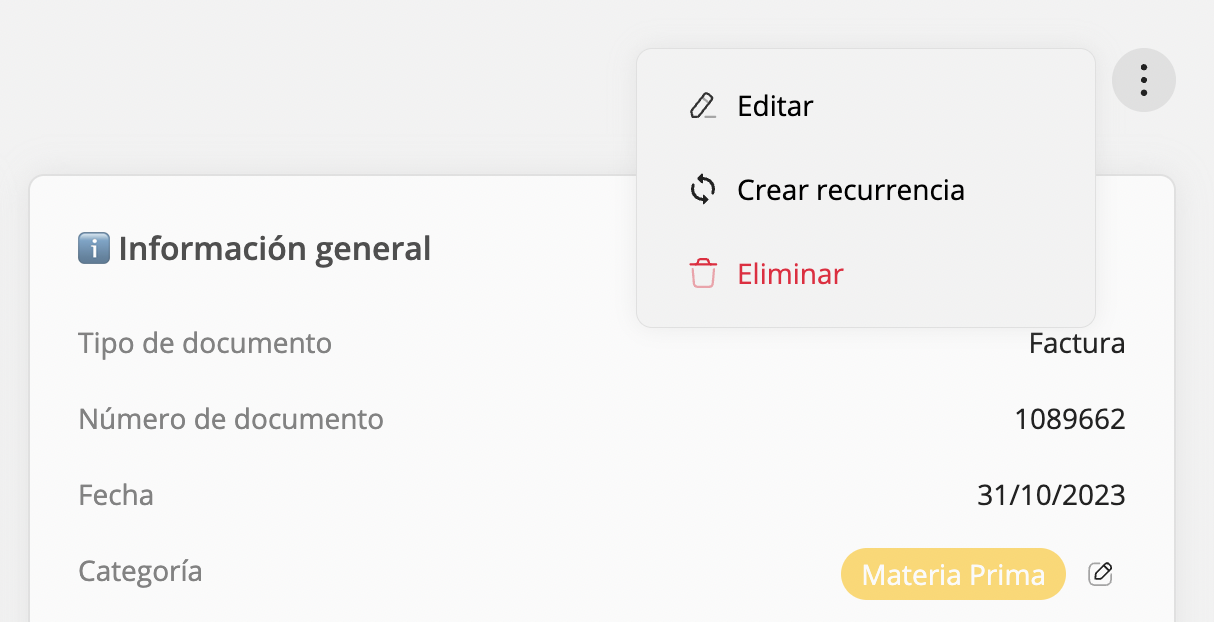
- Click Create recurrence (or Manage recurrence if it is already active)
- Edit how often you want this expense to repeat
Updated on: 26/08/2026
Thank you!