
Availability wheels ⚙️
Before we dive into wheels, it is necessary to know what an Availability Shift is. You can see it here in more detail.
In short, an availability shift in haddock HR is the way to inform our algorithm which hours of the day an employee is available to work.*
↔️ Difference between availability shifts and an availability wheel: The wheel is made up of availability shifts. It generates different shifts to create the perfect availability wheel for your employee.
🌟 Therefore, availability wheels are each employee's availability patterns, essential for creating accurate shift schedules.
For example, if you or your employee are available, they can potentially work at certain times (9-18 h). Depending on the available days and the rest days, the corresponding shift previously created for those days can be assigned.
The idea is that this makes it clear which days they work - they are available - and which days they rest, and at what times.
🌟💬 Add precision to your teams' shift schedules!
🛠️ How do you create an availability wheel? 🛠️
🔹 Go to the shifts tab in your haddock HR dashboard (you will find it in the vertical tools menu on the left side of the dashboard)
🔹 Under Shifts, open the dropdown and "shift wheel" will appear.
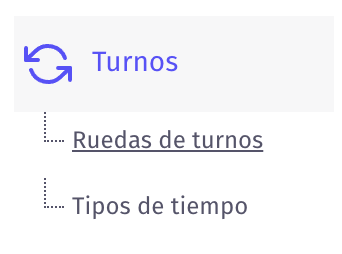
🔹 Once inside, in the upper-right corner, click the purple circled +.
🔹 In that dropdown, fill in all the necessary data to create your availability wheel.
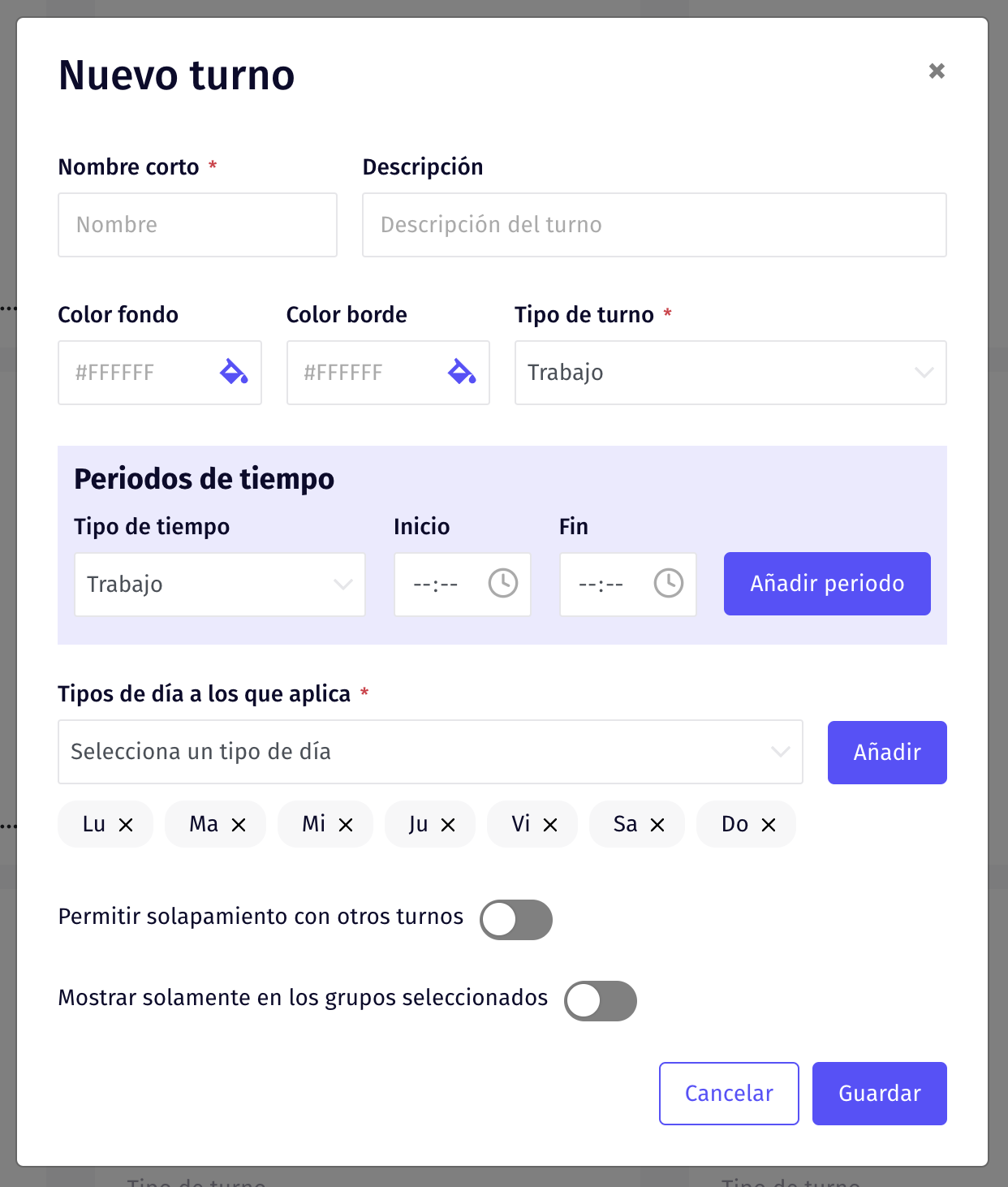
🔺 Do not forget to Save and you are done, another step completed to get the most out of your haddock HR 💫
Updated on: 26/08/2026
Thank you!