
Report an error in a document
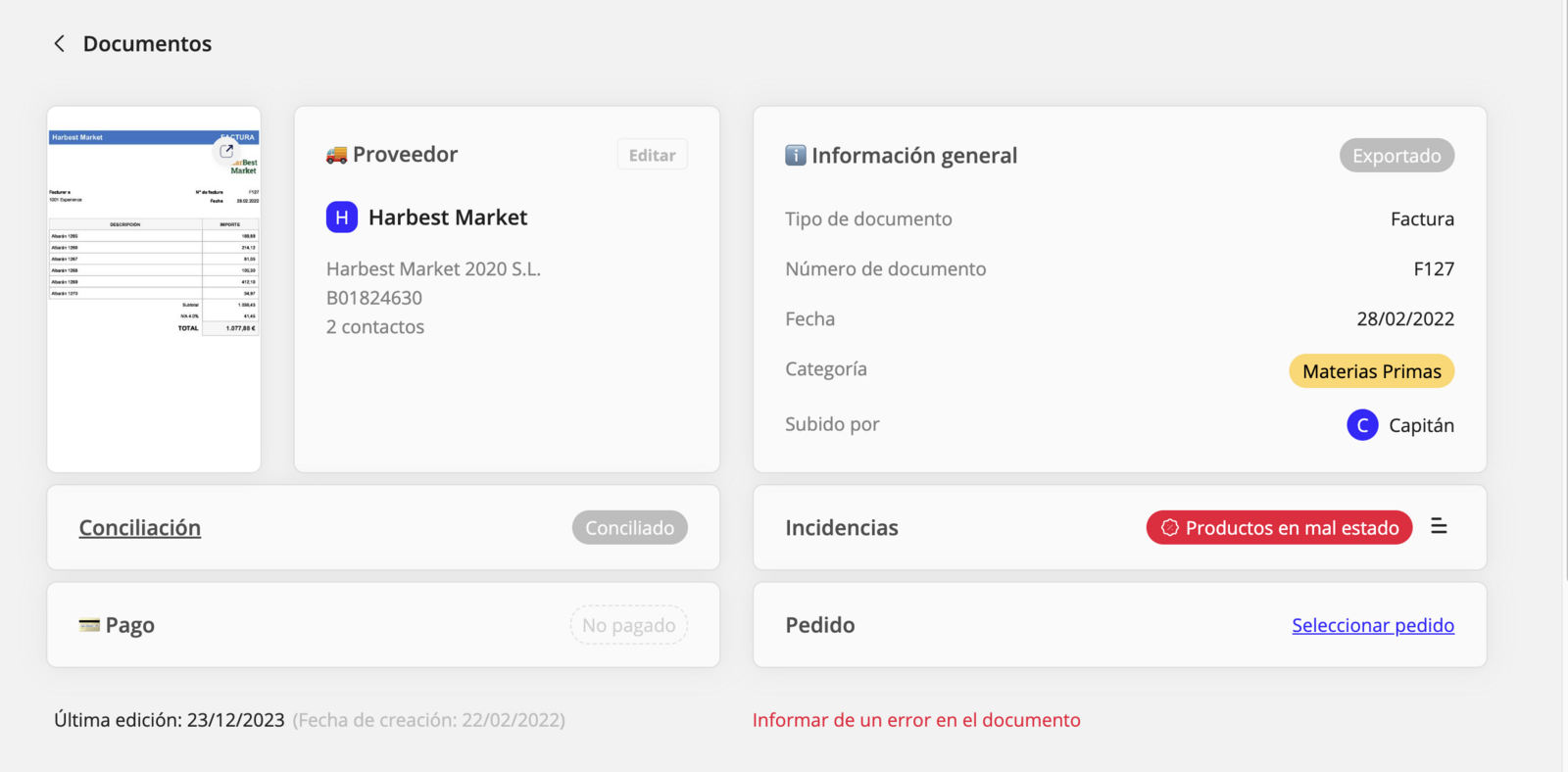
Go to the Documents screen and click a document with an error.
- Click Request correction of an error in the document.
- Select the reason and, if you want, add a description. The more information, the better!
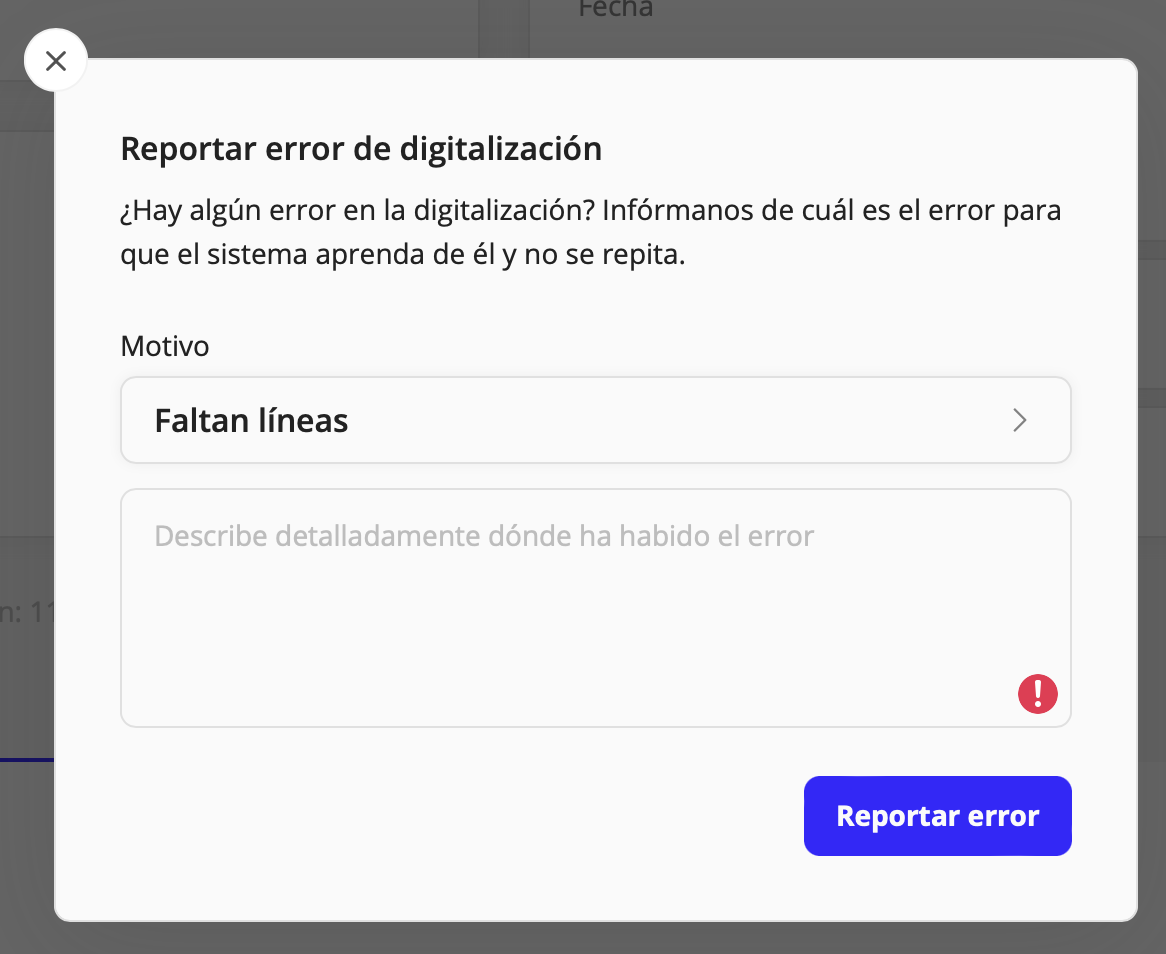
- Click Request correction.
- Once the error is sent, our team will review the notice and fix the problem. We will also use this information to improve the system and prevent the issue from happening again.
💭 The products you see in haddock are generated from the details of digitized documents. To have a good product database, it is important to verify the details information.
Updated on: 26/08/2026
Thank you!