
Where do uploaded documents go?
All documents go to the lower list in the Documents section.
They stay together, but we can separate them using the filter button or the top tabs for ❗️Needs review, ⏳ Digitizing, ❌ Rejected, and 🗑 Deleted.
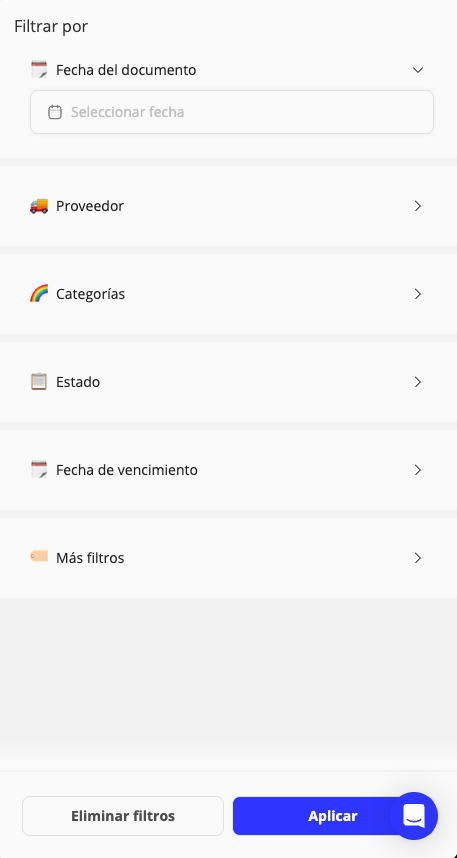
Filter
You can filter by:
- Document date
- Supplier
- Categories
- Due date
- More filters
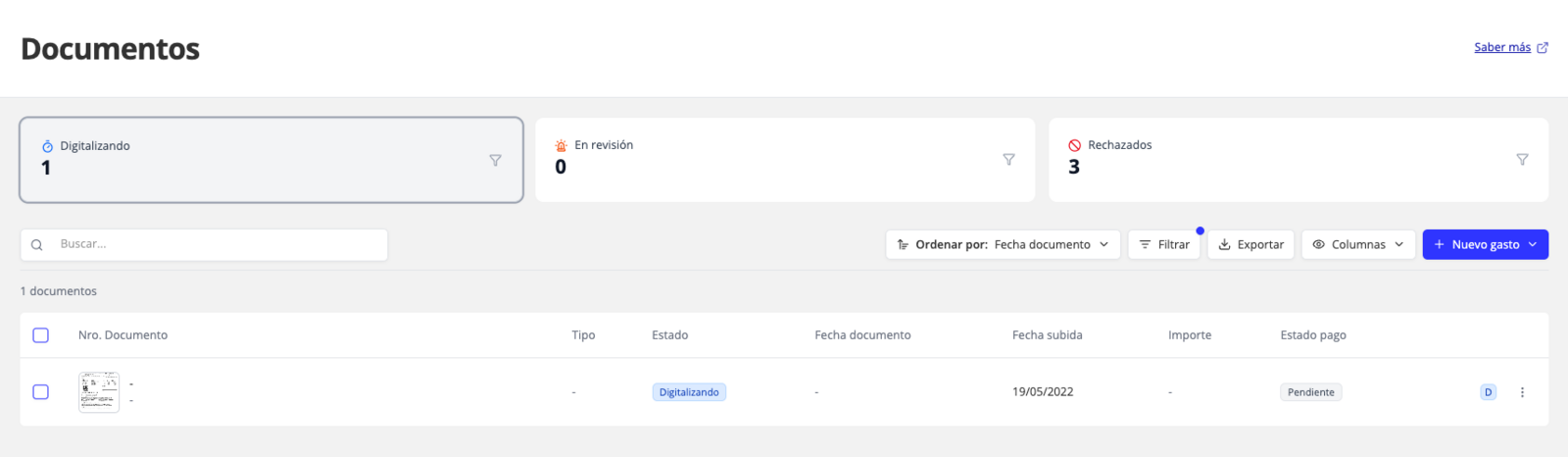
⏳ Digitizing
Uploaded documents that are being digitized.
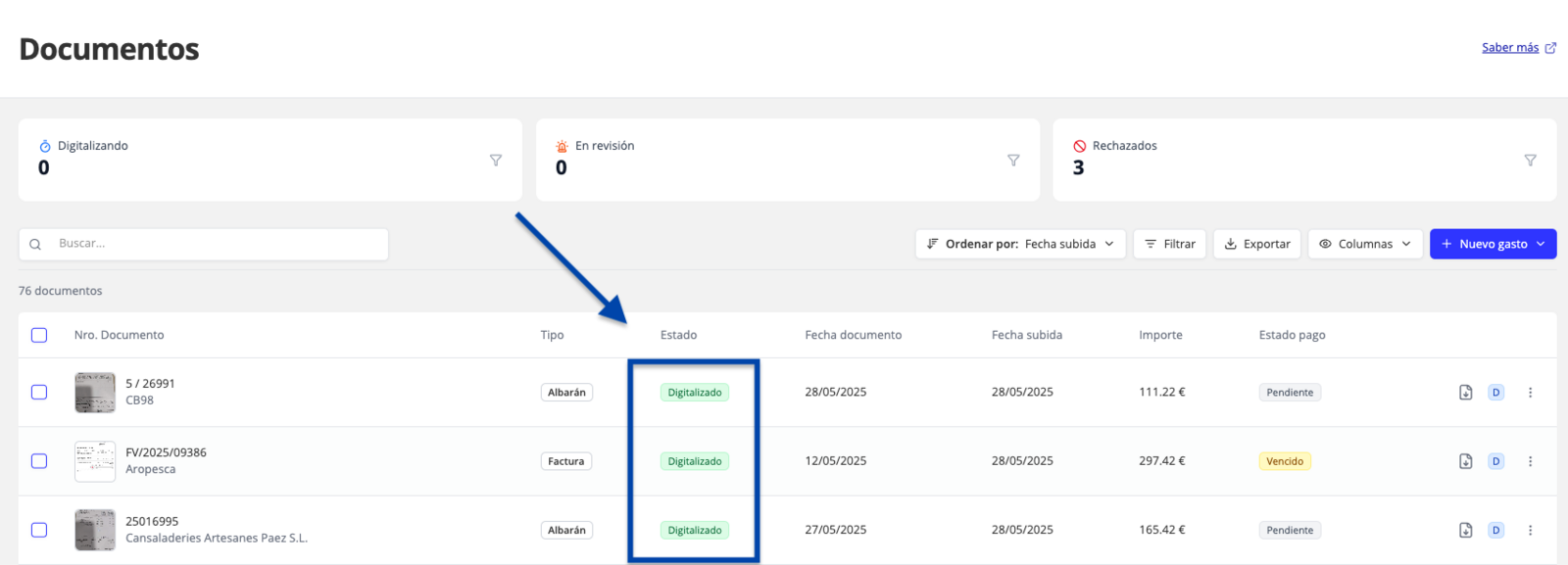
💙 Digitized
Once digitization is complete, invoices, delivery notes, and tickets that were digitized correctly move to the marked section on the main documents screen.
❗️Needs review
Documents that can be completed by filling in missing information. See all the details about the errors and how to fix them.

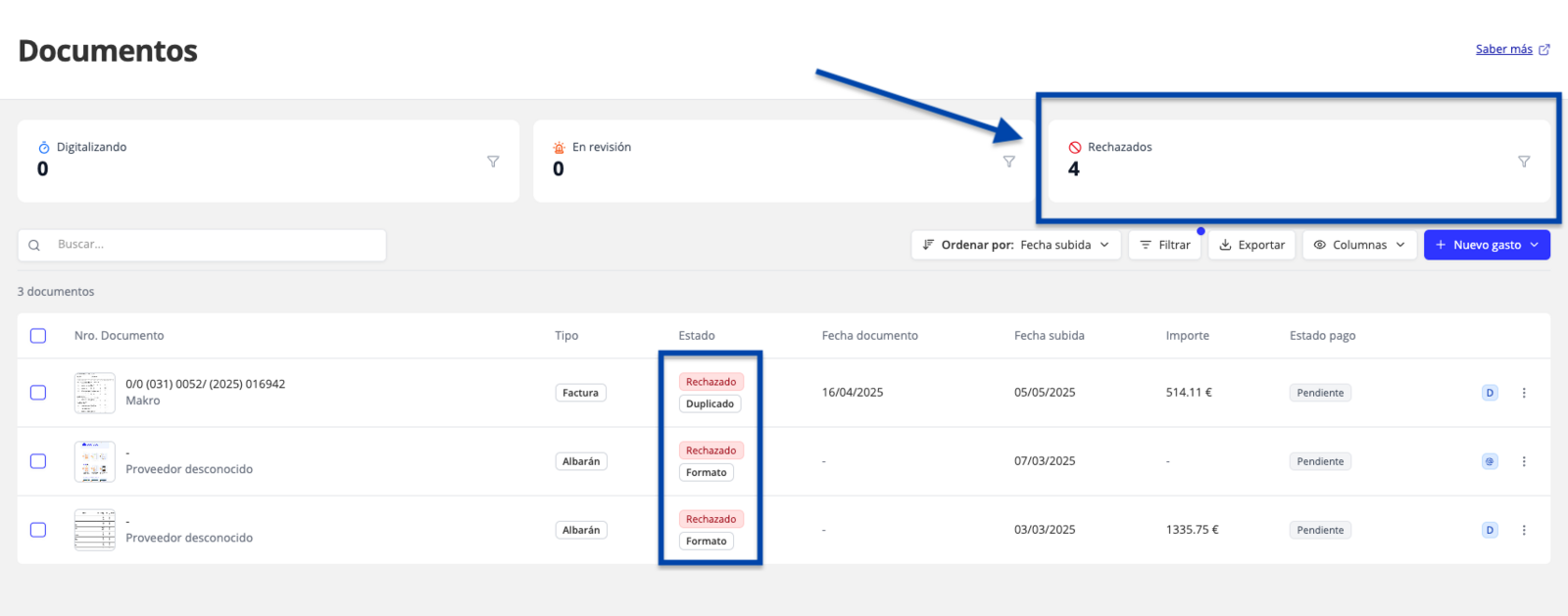
❌ Rejected
The document cannot be uploaded. You can recover, view, and delete the file.
🗑 Deleted
Documents that have been deleted. They will be permanently removed after 90 days. You can restore them so they return to the main list.
Updated on: 26/08/2026
Thank you!